


In the tutorial we’re going to visit we’ll create a rain boot full of daisies that use basic Adobe Illustrator shapes. As usual, we will use the warp effects and the Pathfinder panel. We’re going to see an easy process with detailed explanations, which will take you to a cute illustration.
Related Posts
22
Sep2016

Speed Drawing a Car in CorelDRAW
In this accelerated video tutorial we will see the complete process of making a vector drawing of a car using the CorelDRAW graphics program. The starting point is a photo…
22
Oct2015

Draw a Vector Hair Dryer in Adobe Illustrator
A hair dryer is a tool that helps women add beauty to their hair. The tutorial we’re following demonstrates the method for creating a vector model of this object, and…
25
Mar2017

Free Vector Gorilla Logo download
On this page we present another vector drawing that can be freely downloaded and used in your graphic and design projects. It is a stylized gorilla head. The file is…
17
Sep2014

Zapp Brannigan (Futurama) Free Vector download
Zapp Brannigan is a fictional character in the animated sitcom Futurama. He is voiced by Billy West, but was originally intended to be voiced by Phil Hartman, with West taking…
28
Jul2017
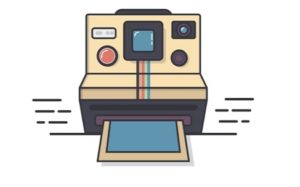
Draw a Vintage Polaroid Camera Icon Illustrator
In this video tutorial we will see how to draw a vector icon with an old Polaroid camera using the Adobe Illustrator graphics program. A very detailed and easy to…
13
Oct2022

Hamburger Flat Design Free Vector download
On this page you will find another free graphic element. This is the Hamburger Flat Design that you can use as a logo or other in your graphics projects. The…
